Payment and debt records
Each payment is linked to the right member, booking, package or membership so the financial view stays consistent.

Organize studio income and outstanding balances, issue eligible receipts and monitor their transmission to AADE through one clear workflow.
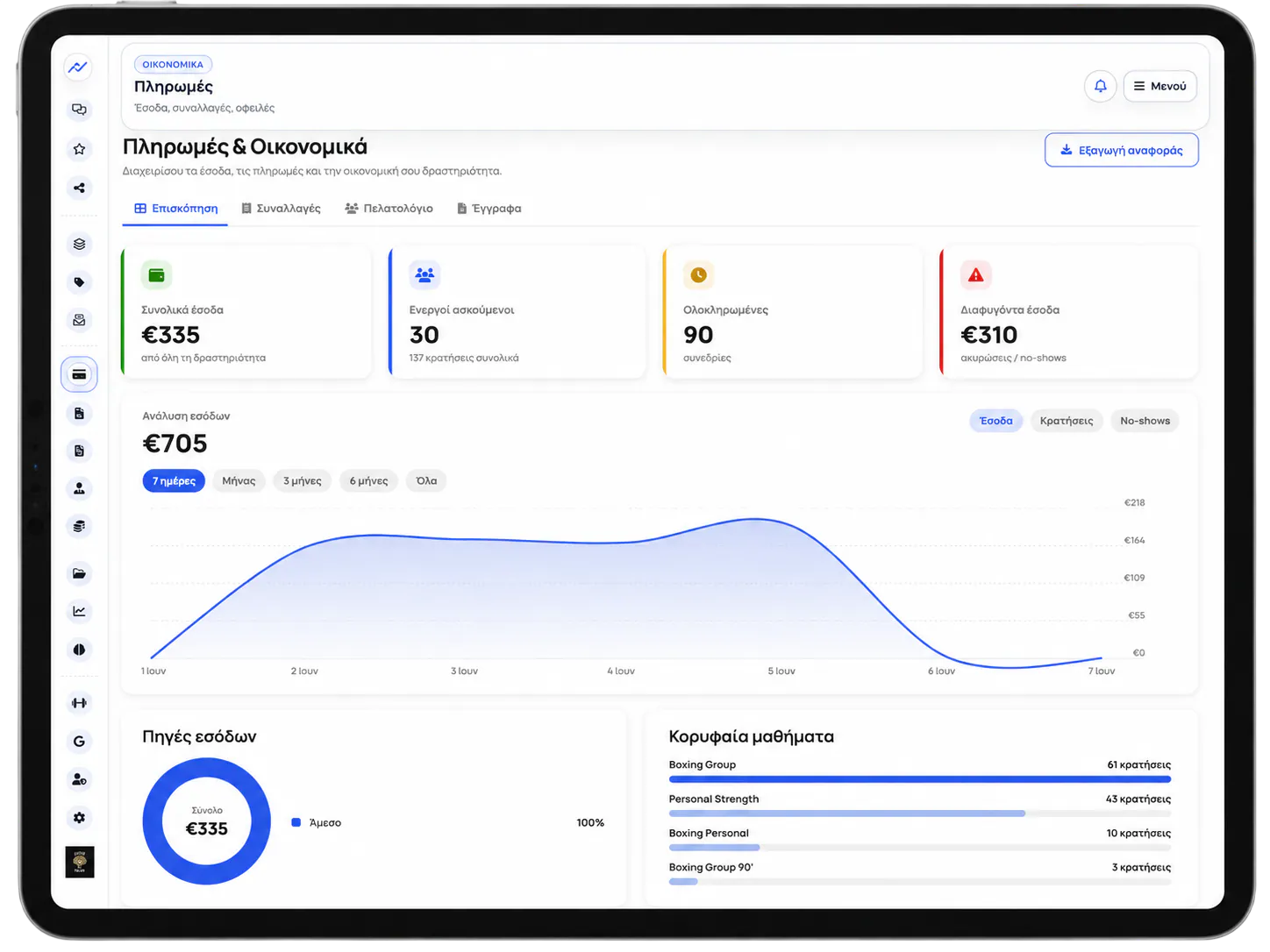
With the service enabled and the tax settings completed, fitVibe Plus issues and transmits eligible receipts to AADE. The transmission response, MARK, UID and any errors remain available in the receipt history.
Receipt series, VAT and document-type settings should be confirmed together with the business accountant.
The payment, receipt and myDATA status remain connected, so reception, owner and accounting teams work from the same information.
Each payment is linked to the right member, booking, package or membership so the financial view stays consistent.
With the service enabled and tax settings completed, eligible receipts are issued and transmitted to AADE myDATA.
The studio can see MARK, UID, transmission status and attempt history, together with the actions available when a correction is required.
Transmission is not a single button. It is a recorded process from the financial transaction through to the AADE response.
The payment or outstanding balance is linked to the member and the service it concerns.
The receipt follows the configured series, numbering, VAT and appropriate document type.
The submission passes through a controlled queue with safe retries when a temporary failure occurs.
MARK, UID, errors and the action history are stored with the receipt.
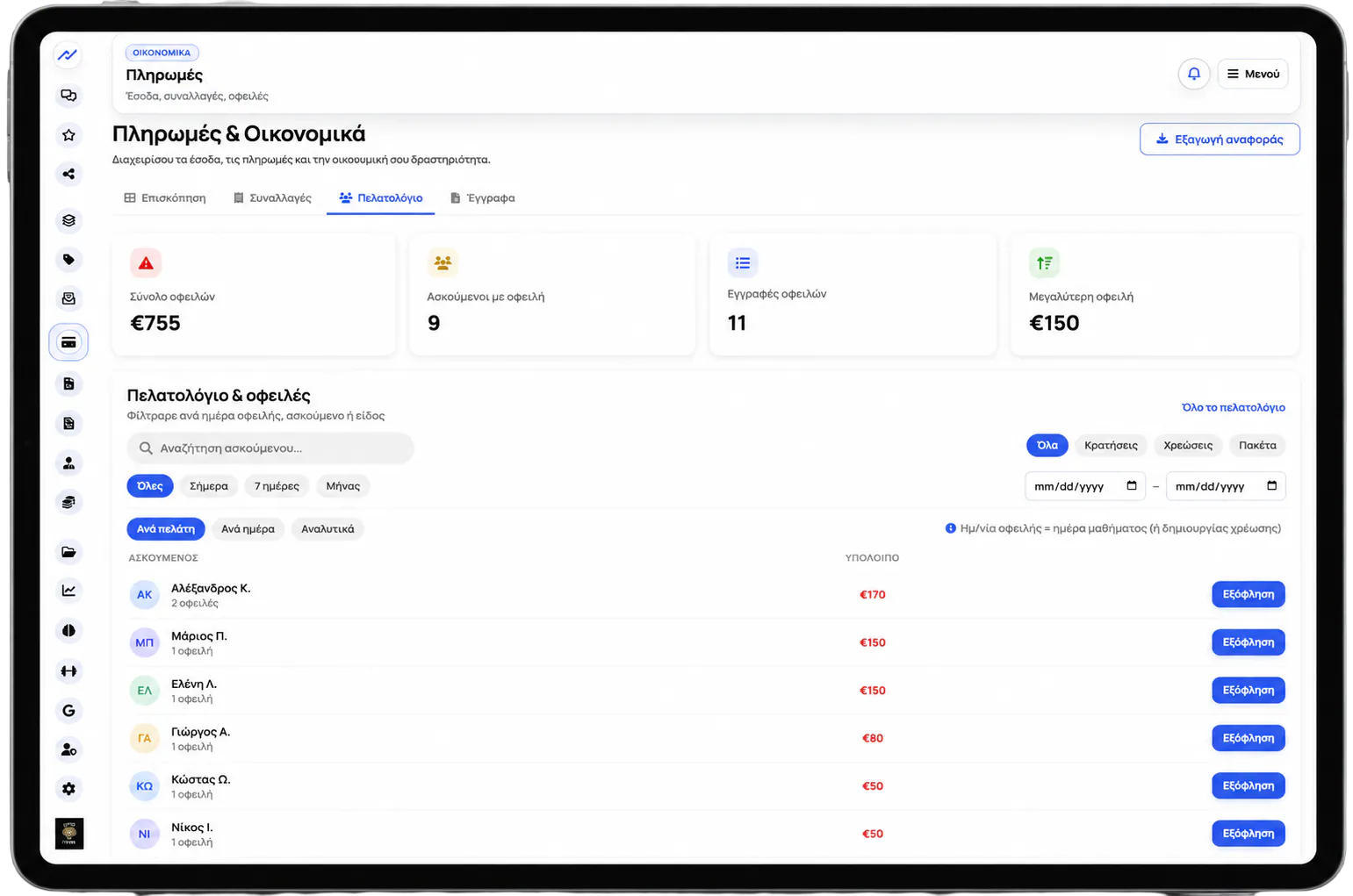
Review balances by member and transactions by method, date and status, without parallel tracking in Excel.
Reception can see who owes money, the remaining balance and the transaction it relates to.
Cash, card, packages and refunds appear in one organized transaction list.
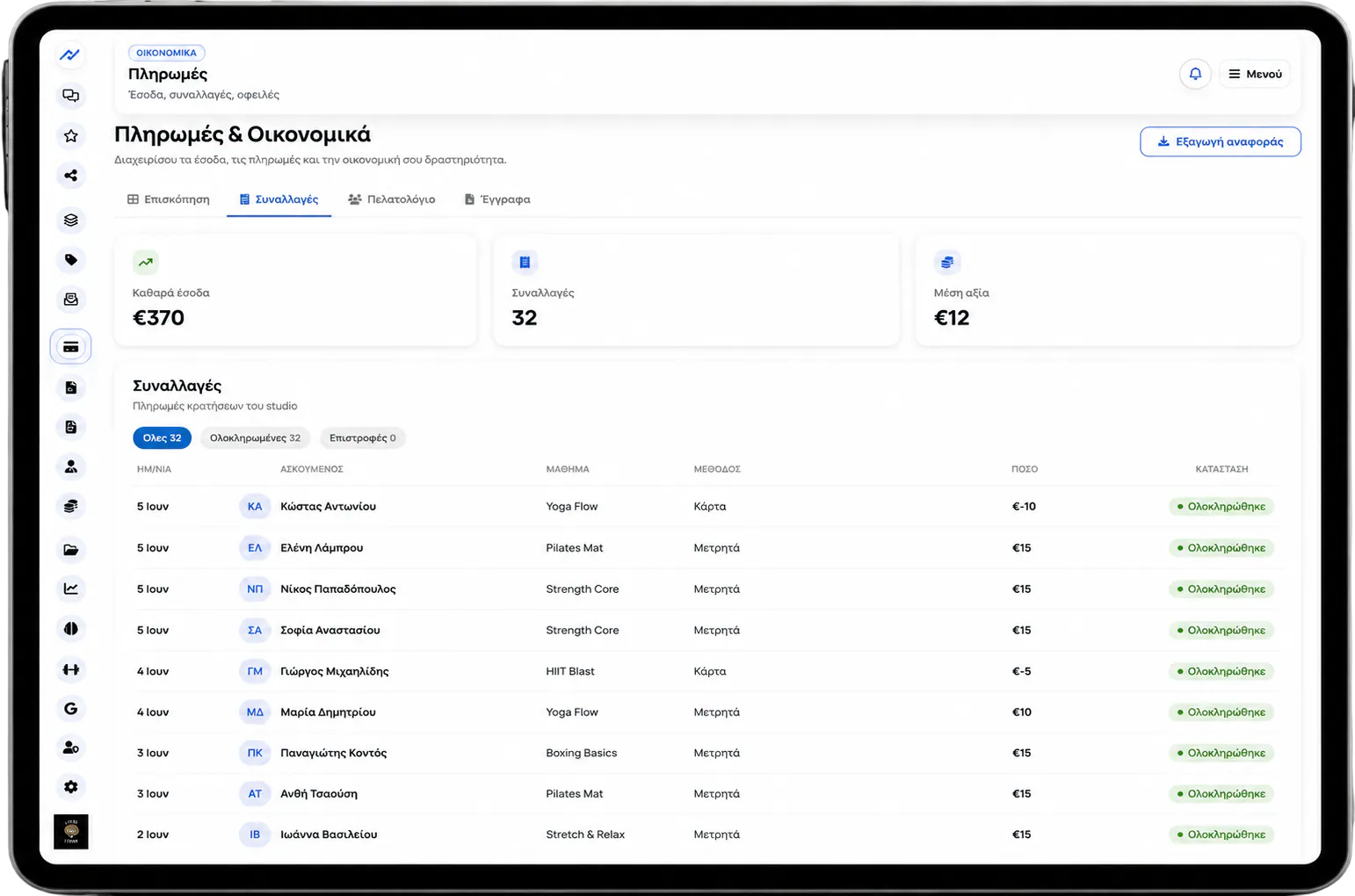
Payments, receipts and transmission statuses can be reviewed by period without searching across different files.
See fitVibe Plus using a real scenario from your studio and confirm the financial and tax setup requirements with our team.
Track payments and outstanding balances, issue tax documents and transmit them to myDATA with status, MARK and safe retry monitoring.
fitVibe Plus connects payments, outstanding balances and tax documents with myDATA. After the service is enabled and tax settings are confirmed, the studio can transmit eligible documents to AADE, monitor MARK and UID, and manage failures or corrections.
For gyms and Pilates, yoga, EMS and wellness studios that want clearer operations without information scattered across spreadsheets, messages and notes.
This feature connects with bookings, member records, payments, memberships, automations and analytics so the studio has one reliable source for daily operations.
Review pricing, the migration process and the feature you need through a real scenario from your own studio.
Review pricing or request a free migration. The fitVibe team helps organize your core data and schedule without interrupting daily operations.
View fitVibe Plus pricingShort answers for owners and managers evaluating fitVibe Plus - Payments & myDATA.
We gathered the practical questions from this page so you can quickly find the information you need.
Not for the Plus service. Plus is a subscription-based management tool. Payments from your own members remain part of the studio commercial relationship, while the system helps you track paid and outstanding amounts.
Each member is linked to packages, bookings, payments and balances, so reception can quickly see what has been paid, what remains open and which booking or membership the payment concerns.
Yes. Payments, packages, session balances and bookings stay connected, giving the studio one consistent financial view.
The studio can apply cancellation and no-show policies so the operational and financial status of each booking remains organized. Exact rules follow the studio policy.
The studio needs myDATA enabled, valid AADE credentials, a confirmed series and numbering setup, and correctly configured VAT and document types reviewed with its accountant.
Yes. When automatic transmission is enabled, eligible financial transactions can create a tax document and enter the transmission queue. The studio can also review and send pending items manually.
You can see the document status, AADE MARK and UID, transmission attempts, errors, and available retry, cancellation or credit actions.
No. Plus performs the technical transmission and keeps its history, while tax configuration and accounting review must be confirmed by the business accountant.
You can export organized payment and tax document records by period, including myDATA statuses, so accounting review starts with clearer information.
fitVibe Plus is available to partner studios across Greece. The fitVibe team confirms availability and onboarding for each area and studio setup.
Yes. You can try fitVibe Plus to review the schedule, member records, bookings and core features before choosing a plan.
You need one system that connects the member, package, booking, payment and balance. fitVibe Plus keeps these records in one workflow.
Yes. Plus gives the studio a clear view of open balances and payment history.
Yes. When myDATA is enabled for the studio and the AADE credentials, series, numbering, VAT and accounting rules are configured, fitVibe Plus can issue and transmit eligible tax documents to AADE.
The myDATA center shows each document status, the MARK and UID returned by AADE, the attempt history and any errors that require review.
The item remains in the transmission queue with its recorded error and can be retried safely, without creating a second tax document for the same financial transaction.
Yes. fitVibe Plus supports cancellation of a transmitted document when permitted, along with linked credit documents for the corresponding correction flows.
No. fitVibe Plus handles technical issuance and transmission, but the accountant remains responsible for reviewing tax documents, VAT, classifications, series and the business tax policy.
Yes. You can export organized tax document and payment records by period to support reconciliation and accounting review.

Thank you for your interest. A member of the fitVibe team will contact you shortly.